Start
Install Profile
Install Profile
Allow the profile download when iOS asks. If ShiftMy is already installed, you can skip this step.
Allow the profile download when iOS asks. If ShiftMy is already installed, you can skip this step.
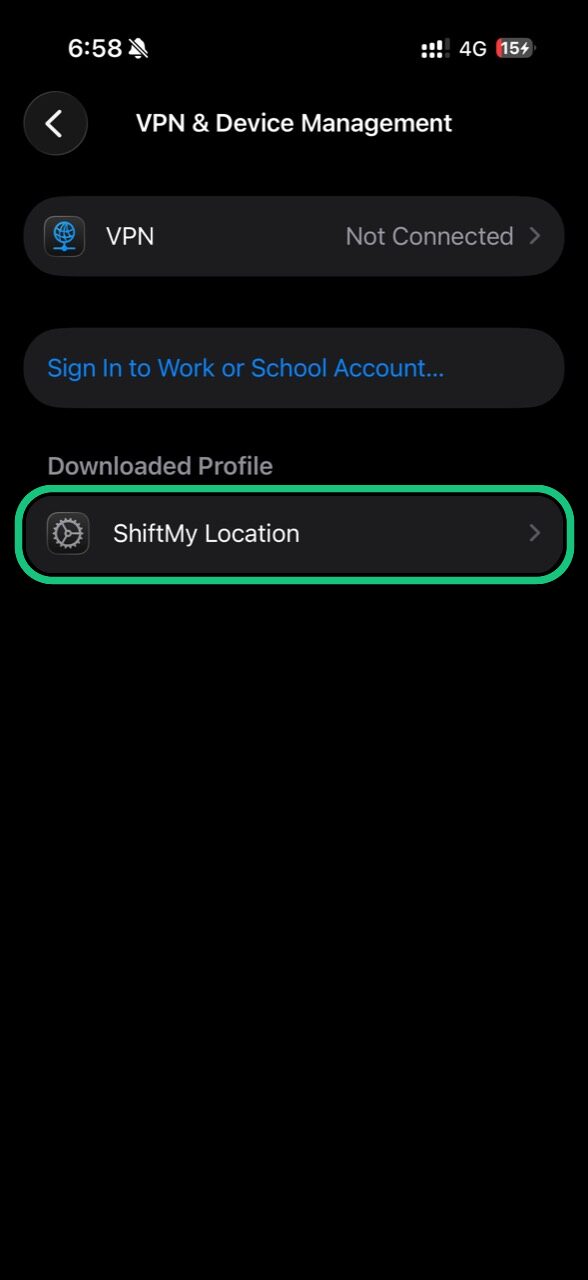
Settings > General > VPN & Device Management.
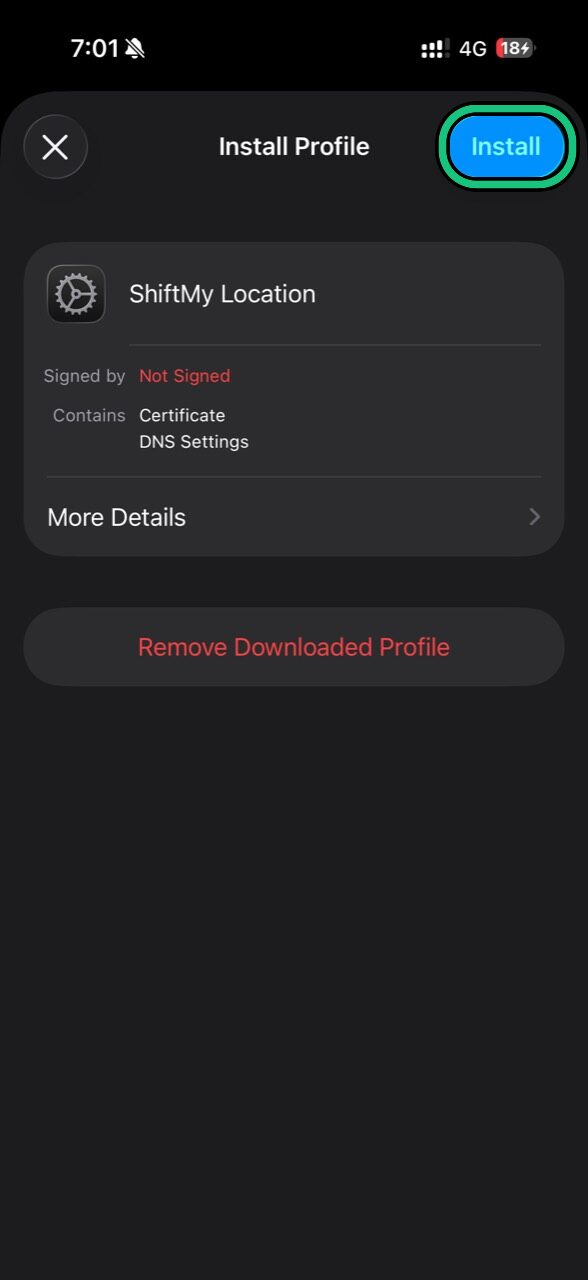
Use the Install button in the top-right and follow the iOS prompts.
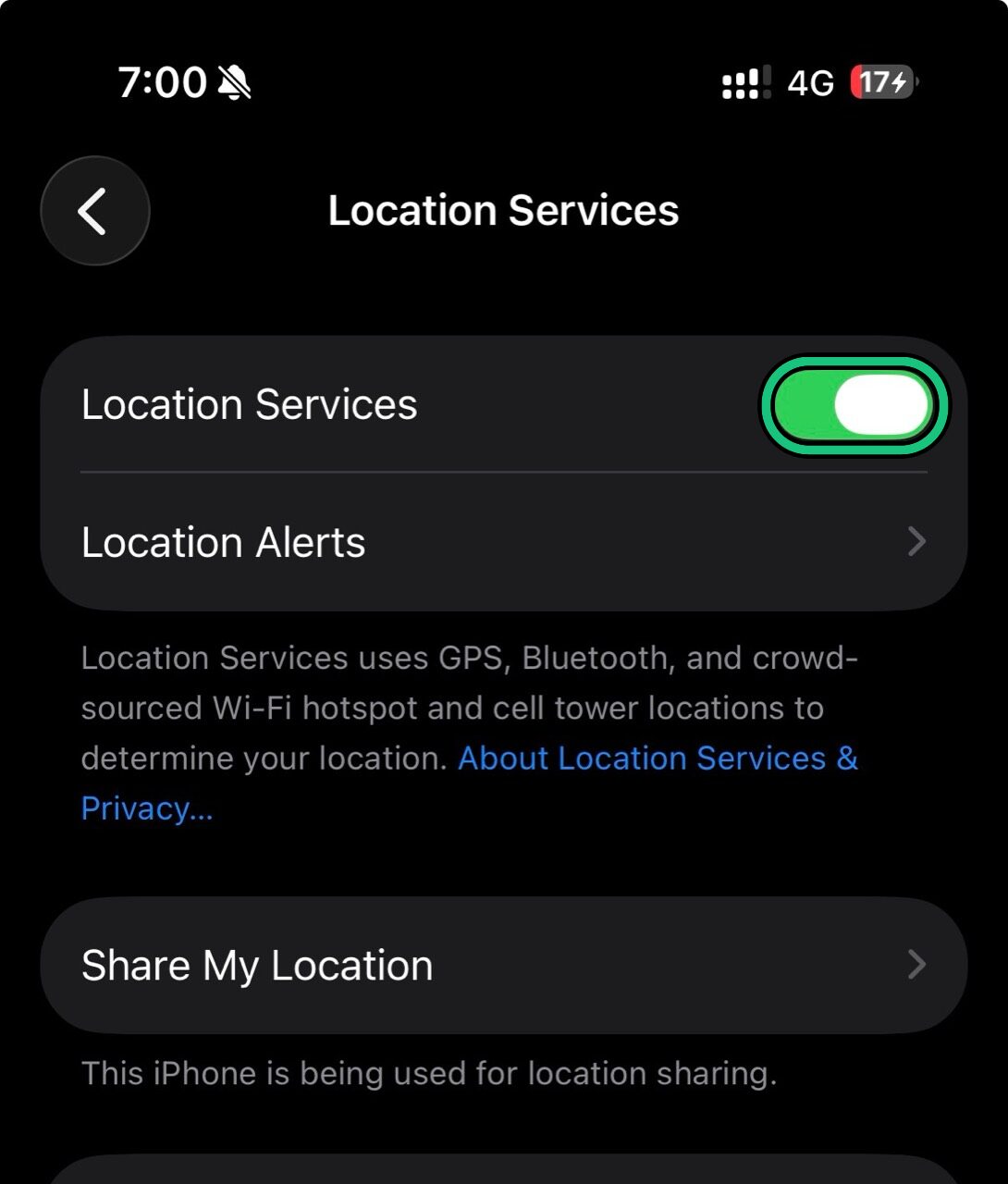
Settings > Privacy & Security > Location Services. Turn it off, then on.
Verify so you do not lose account access.