 ShiftMy
iPhone location not changing?
A stale location does not always mean the change failed. iOS and individual apps can keep an older result for a while. Work through these checks in order.
Refresh Location Services
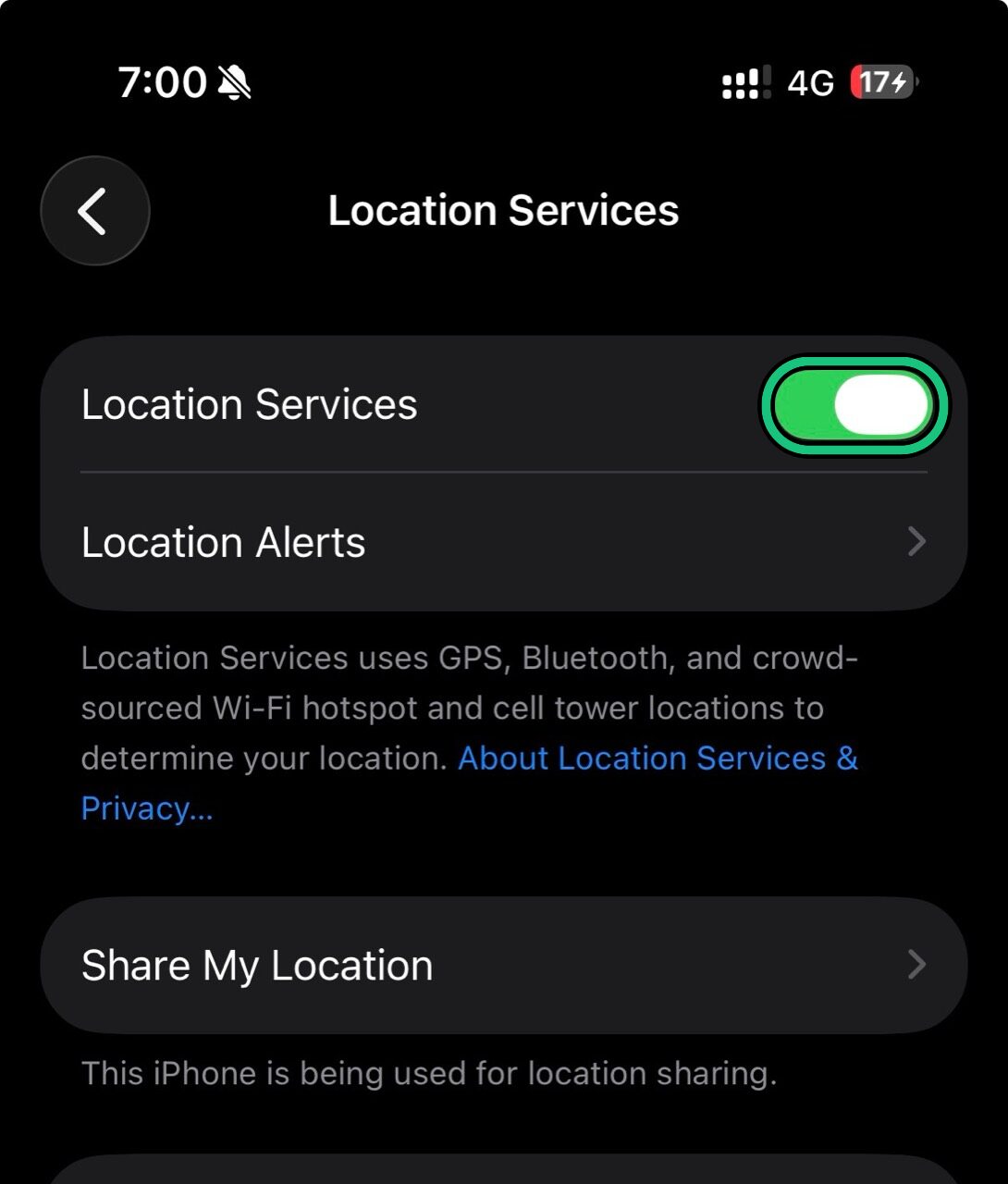
Open Settings > Privacy & Security > Location Services. Turn Location Services off, wait a moment, then turn it on again.
Check the app's permission
On the Location Services screen, open the app you are testing. Confirm it is allowed to use location. Turn on Precise Location when the app needs an accurate coordinate.
Ask the app for one fresh result
Close and reopen the app, or use its locate button once. Repeatedly pressing locate can produce noisy results while iOS is still refreshing.
Confirm the ShiftMy profile is current
If ShiftMy shows Setup Needed, open Guide. Remove an older ShiftMy profile from VPN & Device Management, then install the latest profile from ShiftMy.
Check your connection
Your iPhone needs a working cellular or Wi-Fi connection while ShiftMy saves the new location. If Safari reports a connection error, switch networks once and try again.
Reset before starting over
If an older test location is still active, tap Reset in ShiftMy, refresh Location Services, then choose and set the new place.
Email support@shiftmy.me with your iPhone model, iOS version, the status message shown by ShiftMy, and whether you are on cellular or Wi-Fi. Do not send passwords or payment details.